

Using Stargate Finance
The easiest way to bridge USDT to Stable is through Stargate Finance, LayerZero’s official cross-chain liquidity protocol. Step-by-Step Guide:- Visit Stargate Bridge
- Connect your wallet (MetaMask, WalletConnect, etc.)
- Configure your bridge:
- Source Chain: Select your source chain (e.g., Ethereum, Arbitrum, Polygon)
- Source Token: Select USDT
- Destination Chain: Select Stable
- Destination Token: USDT0 (
0x779Ded0c9e1022225f8E0630b35a9b54bE713736)
- Enter the amount you want to bridge
- Important: Set “Gas on destination” - You must enter a value for “Gas on destination” to receive gUSDT for transaction fees on Stable. Without this, you won’t have gas to perform transactions after bridging.
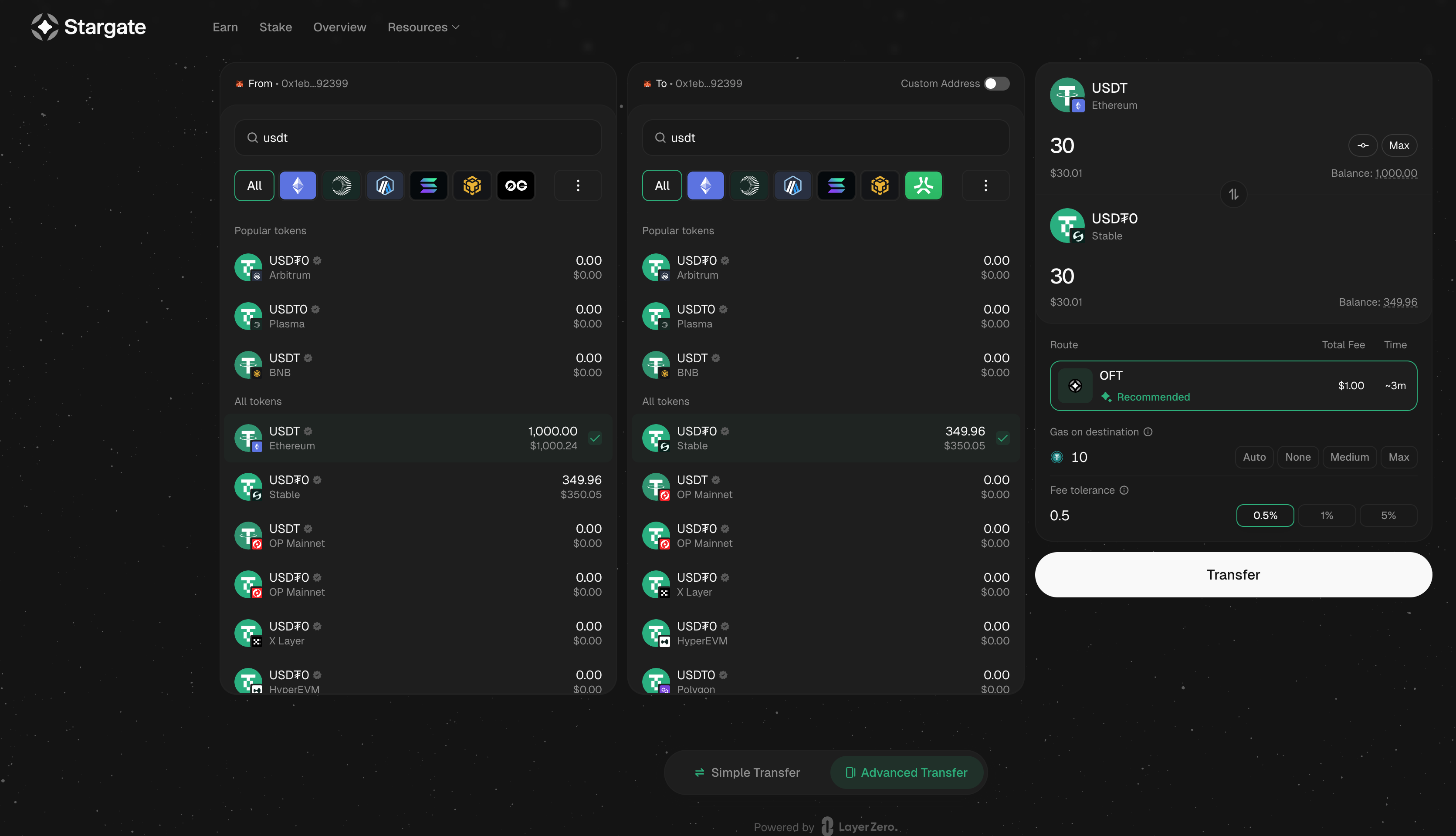
- Review the estimated fees and receive amount
- Click “Transfer” and approve the transaction in your wallet
- Wait for cross-chain confirmation (usually 1-3 minutes)
- USDT0 will arrive in your wallet on Stable along with the requested gUSDT for gas
- Visit Stable Hub Convert to unwrap additional USDT0 to gUSDT if needed
Contract Addresses
| Chain | Contract | Address |
|---|---|---|
| Ethereum | USDT | 0xdAC17F958D2ee523a2206206994597C13D831ec7 |
| Ethereum | USDT0 OFT Adapter | 0x6C96dE32CEa08842dcc4058c14d3aaAD7Fa41dee |
| Ethereum | Endpoint ID | 30101 |
| Stable | USDT0 | 0x779Ded0c9e1022225f8E0630b35a9b54bE713736 |
| Stable | Endpoint ID | 30374 |